3.4 Flow Monitoring
This section covers the Lake Bennett Panel flow monitoring system: ultrasonic meters on the estate, the browser panel used to watch cumulative volume and flow, alarms, and field hardware. It is for authorised operators and estate management. Hosting, deploy, and source-code procedures stay in the private application repository and are not published here.
System Status
Current Assessment
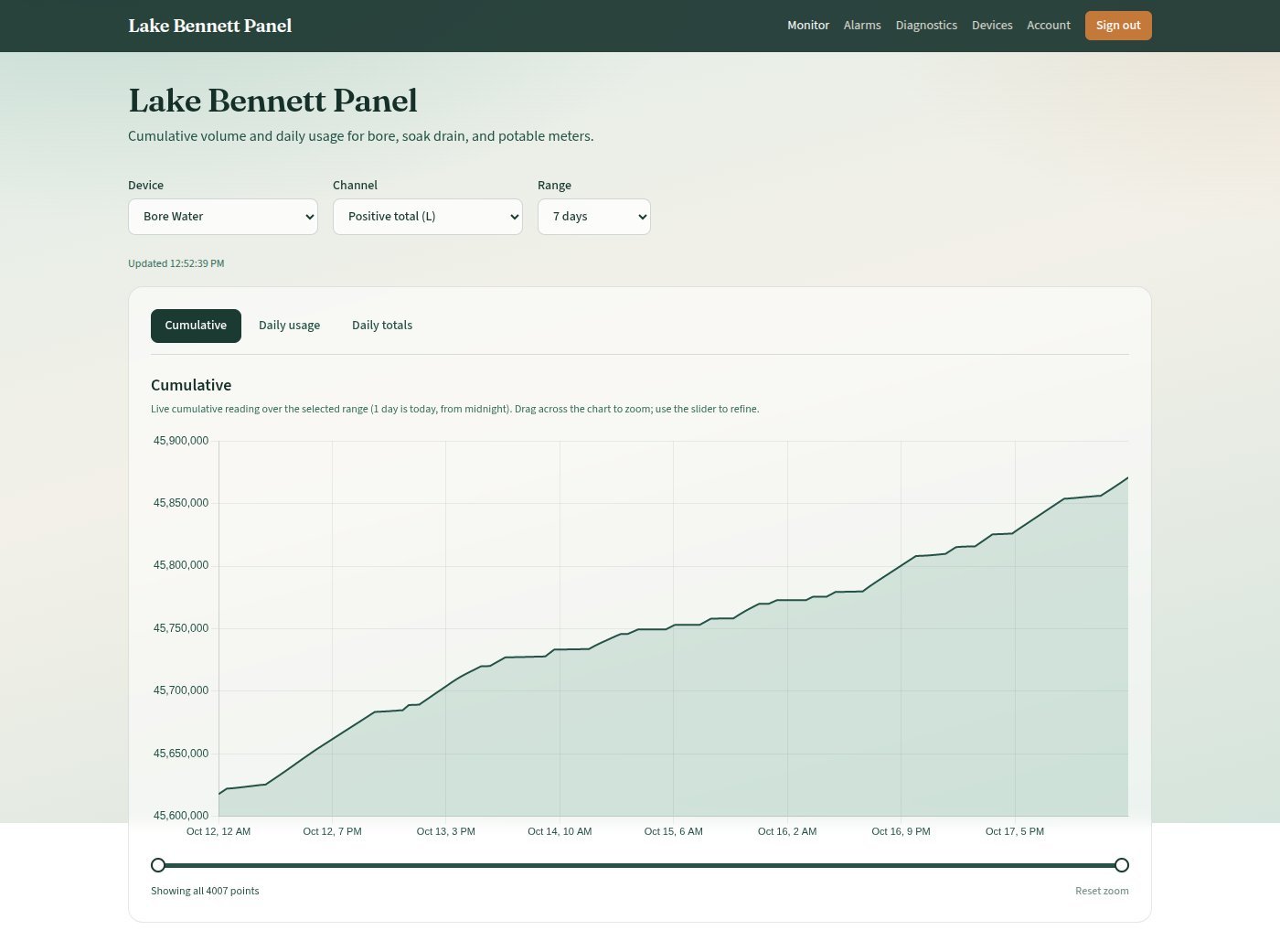
The panel records cumulative volume and flow from three ultrasonic meters (bore, soak drain, potable), stores history, and presents charts, daily totals, and alarms in the browser. Field devices speak Modbus through RS485-to-Ethernet gateways that connect inbound to the estate server.
What the System Does
| Task | Where in the Panel |
|---|---|
| Live cumulative volume and daily usage | Monitor (home) |
| Alarm rules and history | Alarms |
| Whether meters are polling | Diagnostics |
| Register meters and Modbus maps | Devices (admin only) |
| Password and profile | Account |
| Role | Access |
|---|---|
| User | Monitor, Alarms (view), Diagnostics, own profile and password |
| Admin | Everything a user can do, plus Devices, creating and editing users, creating and deleting alarms |
How Data Moves
| Step | What Happens |
|---|---|
| 1 | Each meter is a Modbus RTU slave on RS485 |
| 2 | A gateway translates that bus to Modbus TCP and connects out as a TCP client to the estate server |
| 3 | A loader on the server accepts the connection, polls mapped registers, stores readings, and evaluates alarms |
| 4 | The web application serves the panel; charts load only the selected calendar range (and downsample long ranges) |
Production Access
| Item | Detail |
|---|---|
| Public URL | https://flow.panel.lakebennettestate.com |
| Default poll interval | About 15 seconds per device while a session is up |
| Seeded meters | Bore, Soak Drain, Potable (see 3.4.4 Devices and Channels) |
Authorised Access Only
Sign-in is required. Do not share credentials. Server addresses, SSH access, firewall rules, database credentials, and deploy keys are not documented in this public manual.
Section Map
| Page | Audience | Contents |
|---|---|---|
| 3.4.1 Using the Panel | All signed-in users | Login, Monitor charts, date ranges, zoom |
| 3.4.2 Accounts and Users | Admins (and all users for passwords) | Roles, creating users, email, password reset |
| 3.4.3 Alarms | All users; admins create rules | Setpoints, drop-while-flowing, latch, history |
| 3.4.4 Devices and Channels | Admins | Register meters and Modbus maps |
| 3.4.5 Diagnostics | Anyone troubleshooting ingest | Health checks, sessions, latest readings |
| 3.4.6 Field Hardware | Field / electrician / integrator | TUF-2000B, gateway, RS485, TCP Client |
Related Plant
Ultrasonic and mechanical meters on the potable system are also described under water supply:
- 3.1.1 Bore Pump — green shed controls and ultrasonic sensors
- 3.1.2 Storage Tanks — mechanical and ultrasonic meters on the main
Version Control
| Version | Date | Description |
|---|---|---|
| 1.0 | 2026-10-18 | Initial Release — incorporated from Lake Bennett Panel V2 operator manual; hosting and credential detail omitted for public publication |
| 1.1 | 2026-10-20 | Style guide compliance — roles and data-path tables |
Next Review Date: 2027-04-20