3.4.2 Accounts and Users
Login is username + password. Email is optional and is not used to sign in.
There are two roles: user and admin. The role is stored on the account and included in the session after login.
Who Can Do What
| Action | User | Admin |
|---|---|---|
| Sign in, Monitor, Diagnostics | Yes | Yes |
| View alarm rules and history | Yes | Yes |
| Create / delete alarms | No | Yes |
| Devices page | No (redirected to Monitor) | Yes |
| Change own email | Yes | Yes |
| Change own password | Yes | Yes |
| List / create / edit / delete other users | No | Yes |
| Reset another user’s password | No | Yes |
| Delete own account from the UI | No | No |
| Demote or delete the last remaining admin | — | Blocked |
Do Not Share Credentials
Do not publish or share default or production passwords. Change any temporary password immediately. First-admin setup on a new empty database is handled by authorised technical staff and is not documented in this public manual.
Sign In (Everyone)
- Open the site → Login
- Username and password
- You are taken to Monitor (or to the path you requested if you hit a protected URL while logged out)
Change Your Email
Path: Account → Profile
- Enter an address and Save email
- Leave the field blank and save to clear email
Change Your Own Password
Path: Account → Password
- Enter the current password
- Enter the new password (minimum 8 characters) and confirmation
- Tap Update password
You stay signed in. An admin reset of someone else’s password invalidates that person’s sessions; they must sign in again.
Create a User (Admin)
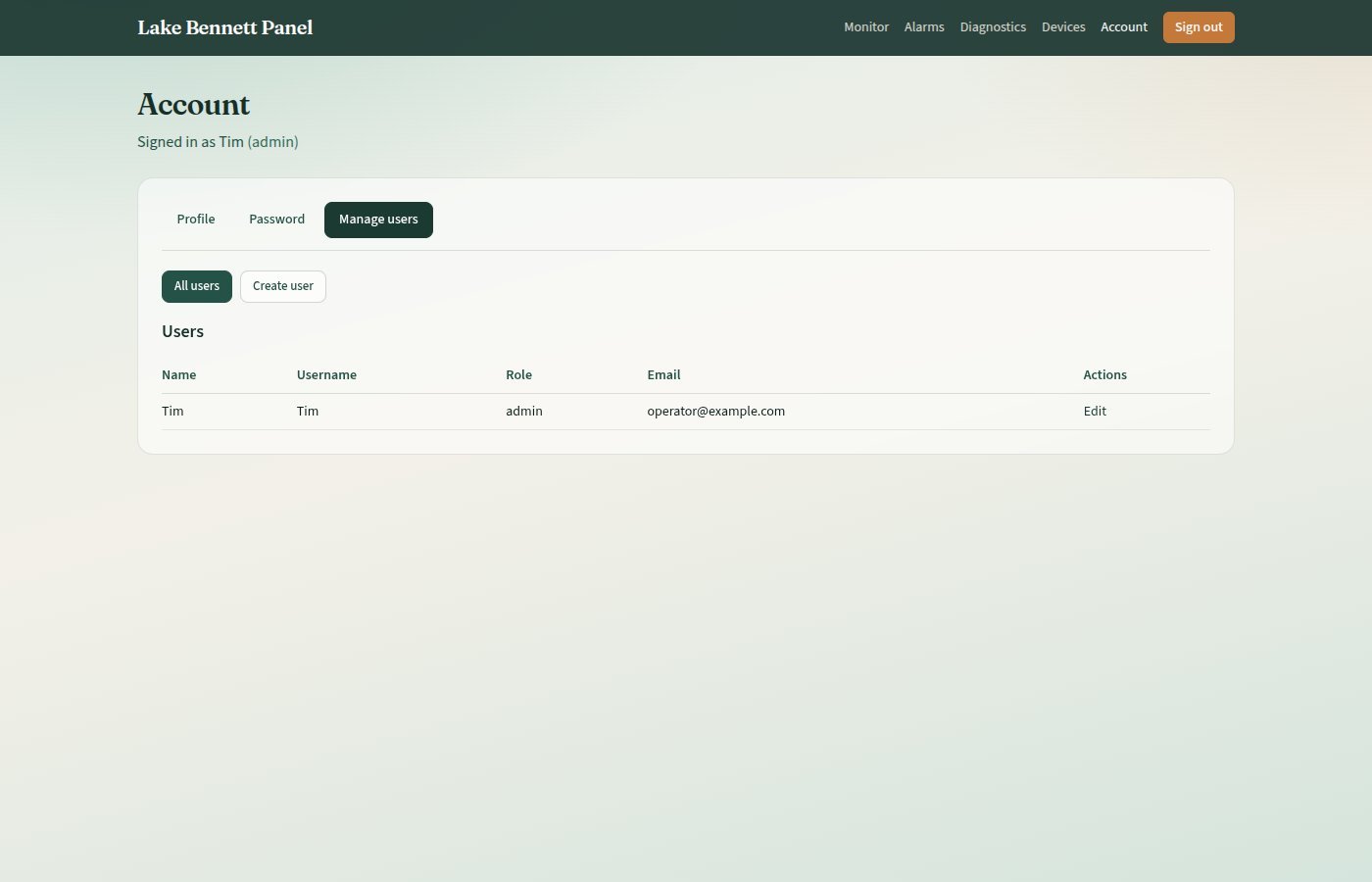
- Sign in as an admin
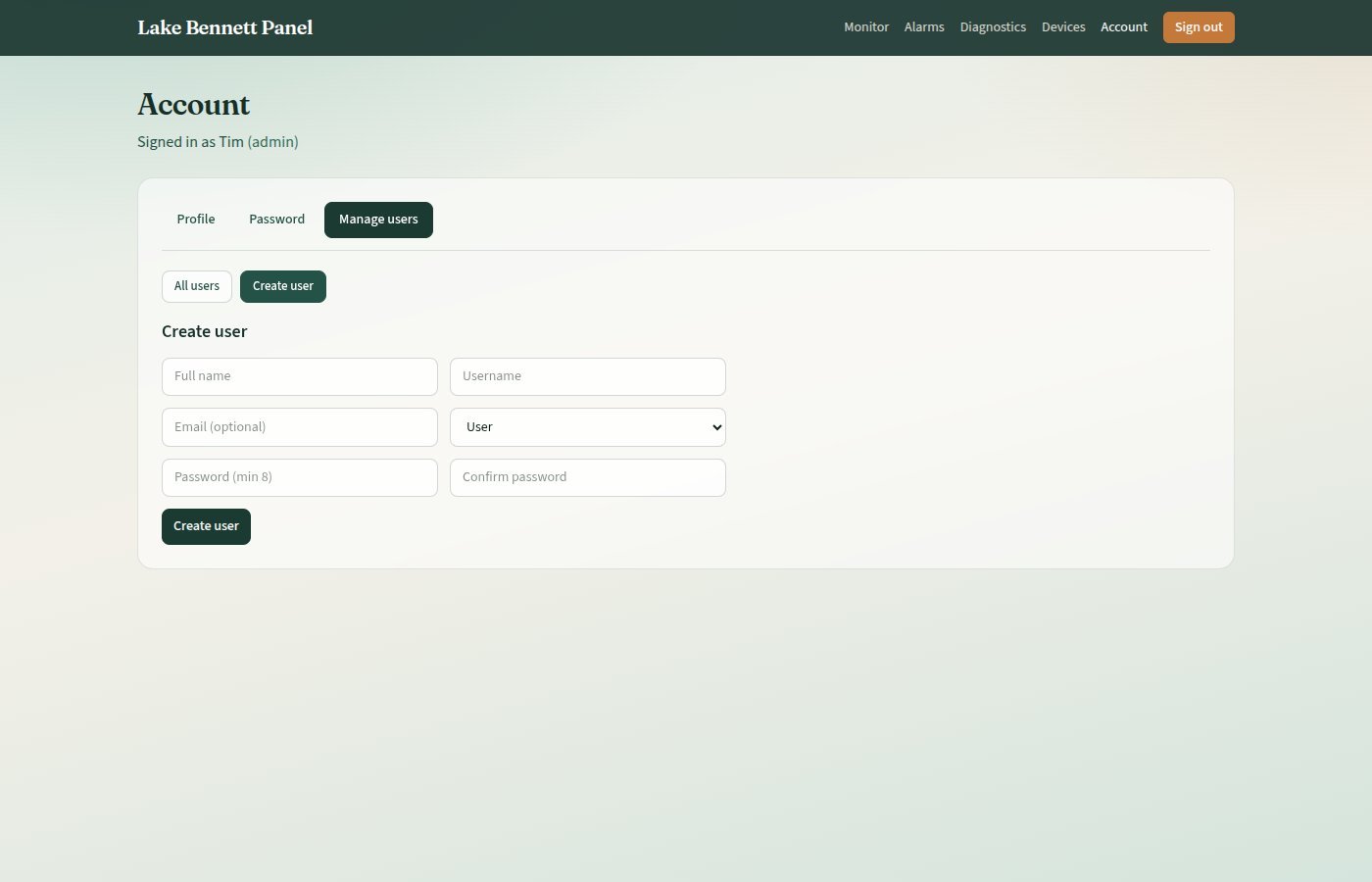
- Open Account → Manage users → Create user
- Fill the form:
| Field | Required | Notes |
|---|---|---|
| Full name | Yes | Display name |
| Username | Yes | Unique, max 50 characters; this is the login |
| No | Unique if set | |
| Role | Yes | User or Admin |
| Password / confirm | Yes | Min 8 characters |
- Tap Create user
The new person signs in with that username and password. There is no invite email.
Edit a User (Admin)
Account → Manage users → All users → Edit
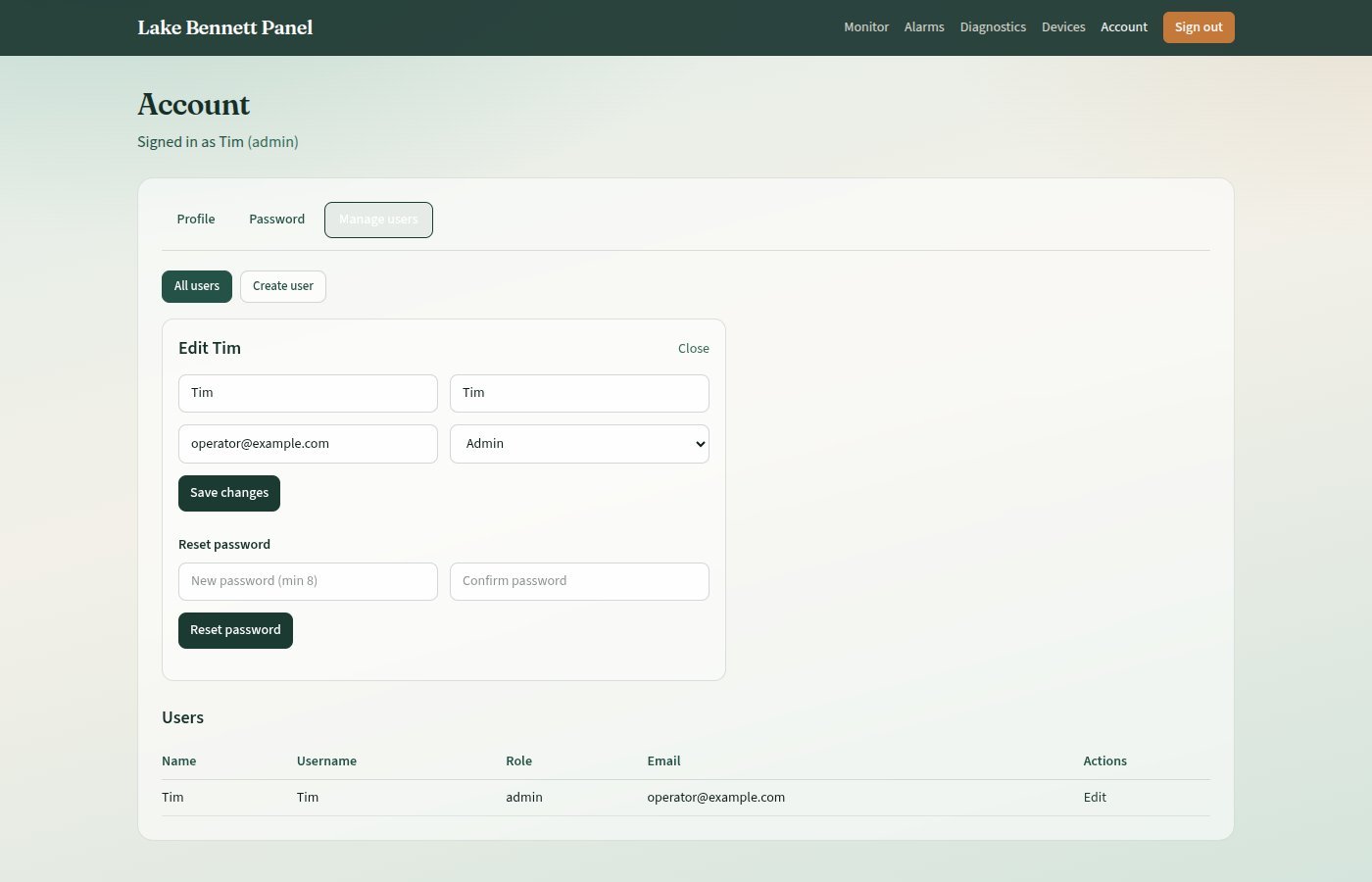
You can change name, username, email, and role. Saving a role of user on the last admin is rejected.
Reset Another User’s Password (Admin)
On the same edit panel: Reset password. That user must sign in again; their existing browser sessions stop working.
Delete a User (Admin)
On the edit panel, Delete user (not shown for your own account). You cannot delete the last admin.
Session Behaviour
- New browser: Opening the site needs a fresh login
- Sign out: Signing out one browser does not sign out others until you reset that user’s password (which ends all of their sessions)
Version Control
| Version | Date | Description |
|---|---|---|
| 1.0 | 2026-10-18 | Initial Release — seed credentials and bootstrap API omitted for public publication |
| 1.1 | 2026-10-20 | Style guide compliance — procedures, admonition title, list labels |
Next Review Date: 2027-04-20