3.4.3 Alarms
Alarms watch a device + channel on every poll. They are evaluated by the ingest loader (and also if an admin posts a reading through the application).
Everyone can see rules and history. Only admins can create or delete rules.
Open Alarms in the top nav.
Tabs
| Tab | Who | Purpose |
|---|---|---|
| Rules | Everyone | Configured alarms and live state |
| History | Everyone | Raised / cleared events for one device |
| New alarm | Admin | Create a rule |
Rule States (Rules Tab)
Each rule shows device, channel, condition summary, and hold time.
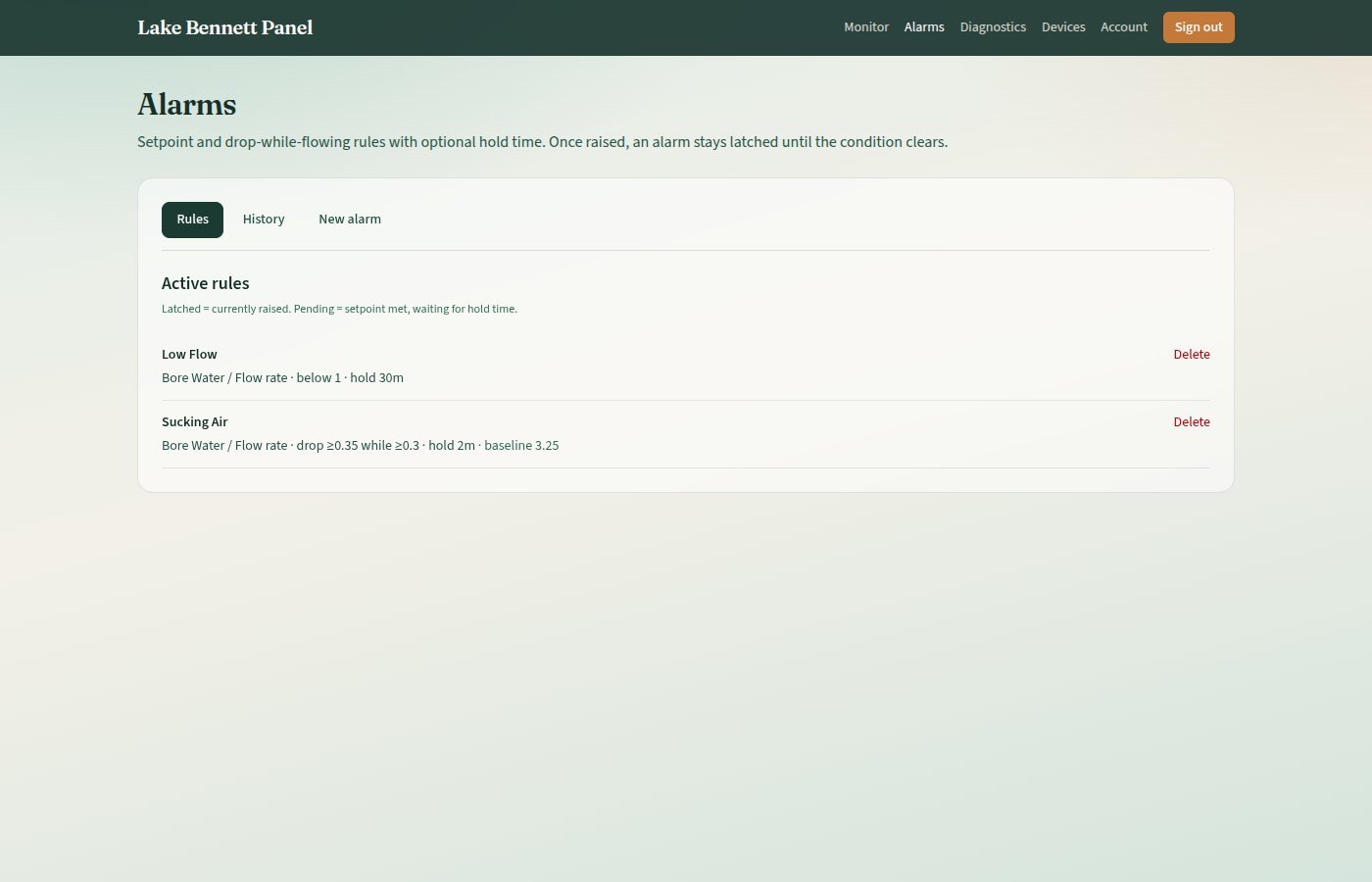
| Badge | Meaning |
|---|---|
| latched | Alarm is raised and stays raised until the condition clears |
| pending | Condition is true, but hold time has not elapsed yet |
| inactive | Rule is turned off. Not evaluated |
Latching is intentional: a brief recovery does not hide a real event until the value is clearly back to normal.
History Tab
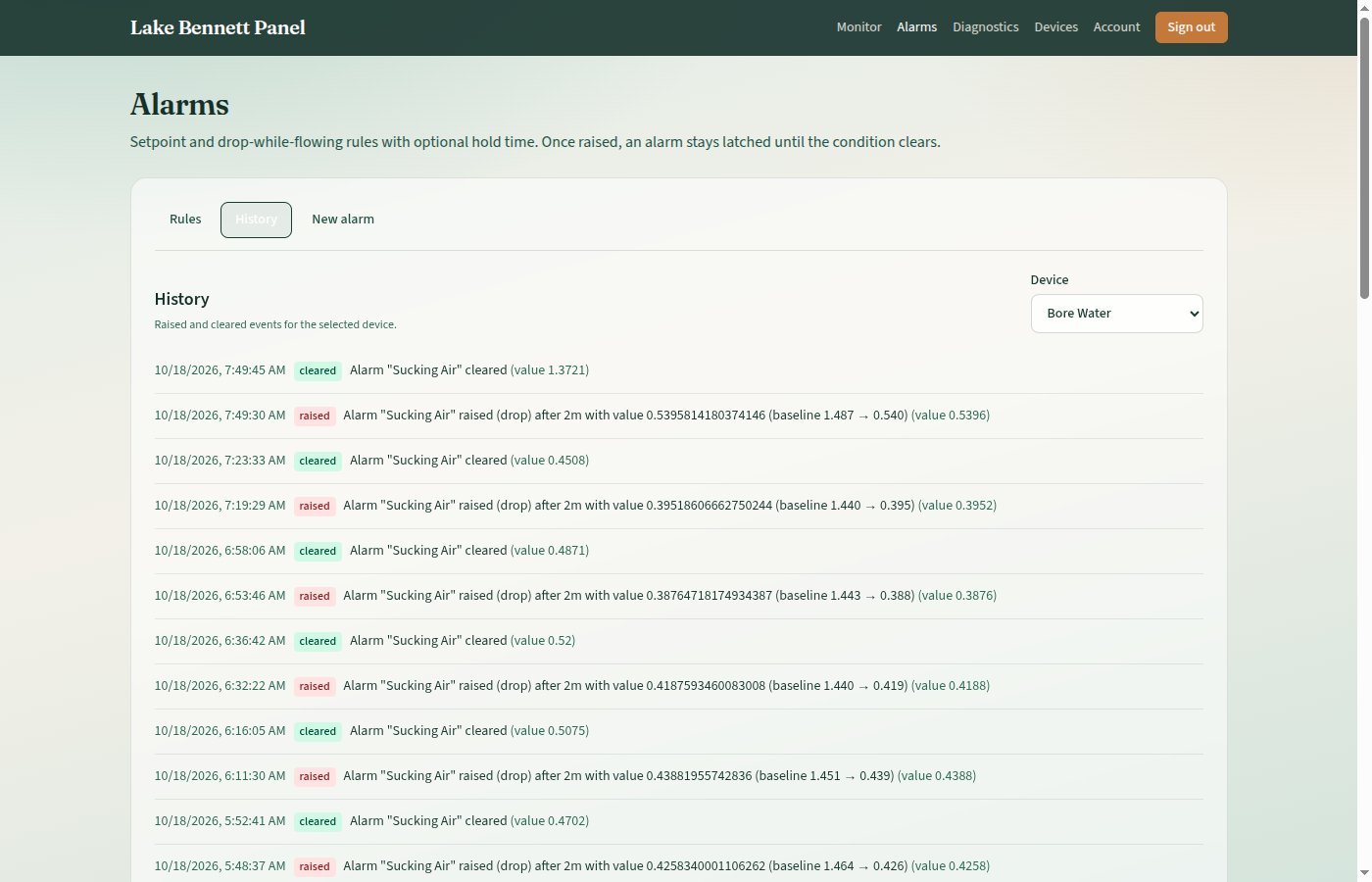
Pick a device. Events list local time, raised or cleared, message, and the sample value.
Creating a Rule (Admin)
Alarms → New alarm
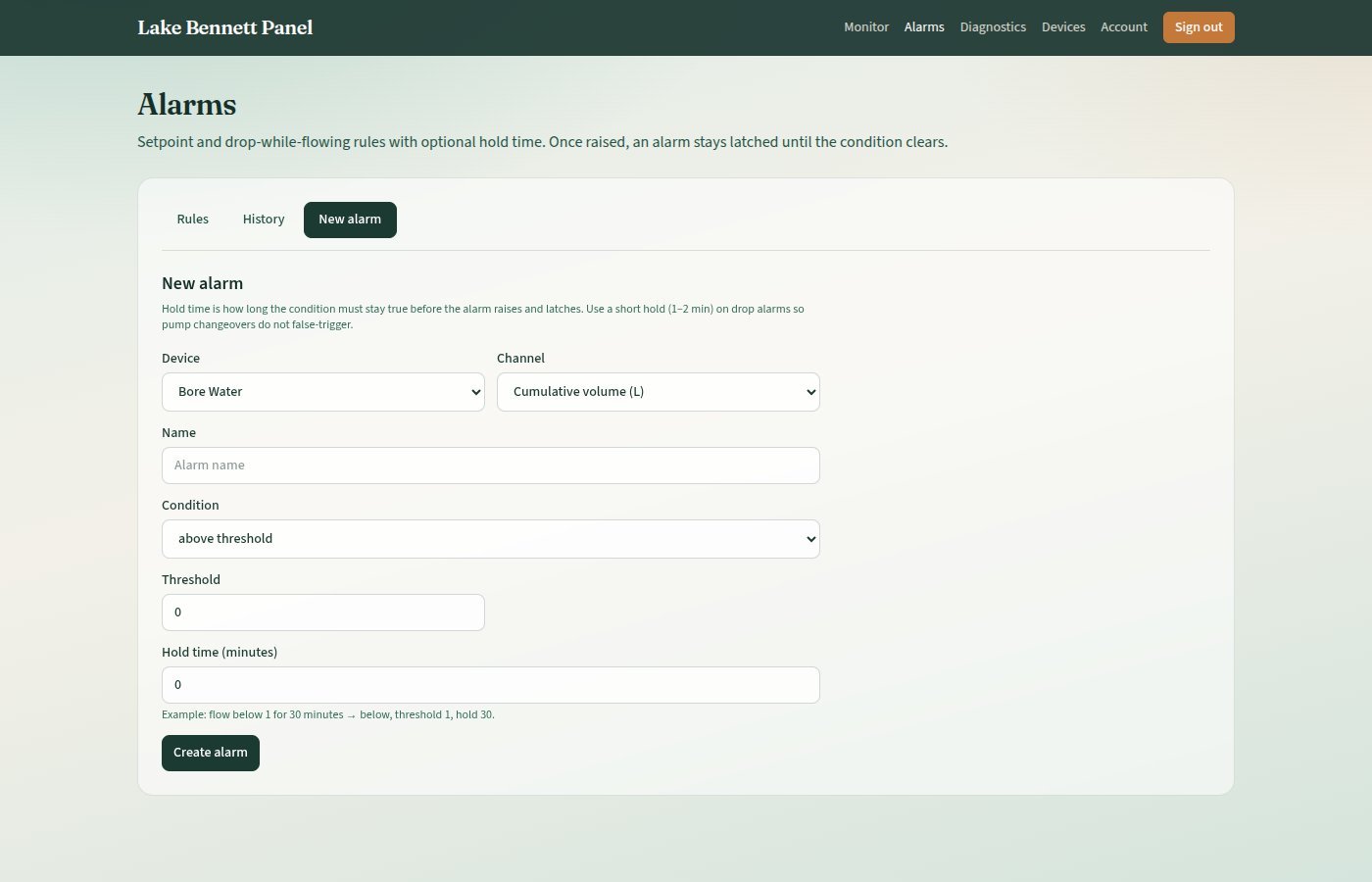
- Device and channel
- A short name (shown on the rules list)
- Condition (below)
- Thresholds as prompted
- Hold time (minutes) — how long the condition must stay true before the alarm raises and latches.
0means the next poll can latch immediately - Create alarm
Delete from the Rules list (admin). There is no edit form in the UI; delete and recreate if the setpoint is wrong.
Condition Types
Above / Below / Between
Classic setpoints on the chosen channel’s value (same units as the channel).
| Condition | Raises When |
|---|---|
| above | value > threshold |
| below | value < threshold |
| between | threshold ≤ value ≤ high threshold |
Example: flow below 1 for 30 minutes → condition below, threshold 1, hold 30.
Drop While Flowing (Air Suck)
Meant for flow rate (m³/h), not cumulative litres.
The evaluator learns a baseline (normal pumping rate). It raises when flow is still above a floor (so the pump is not merely off / switching) but has fallen by at least the drop amount below that baseline.
| Field in the Form | Typical Starting Point |
|---|---|
| Drop amount | 0.5 m³/h |
| Minimum flowing rate | 0.3 m³/h |
| Hold time | 1–2 minutes so pump changeovers do not latch |
Behaviour in short:
- Flow below the floor: Treated as off / switchover. The hold timer resets. An already-latched alarm is not cleared by a near-zero dip alone
- Baseline: Rises fairly quickly with higher flow, and falls only slowly, so a real drop is measured against the pre-drop rate
- While pending: Baseline is frozen
- Clear: Uses hysteresis (about 65% of the drop size) so the latch can release on a genuine recovery without requiring an exact return to the old peak
Suggested Starting Recipe
Drop 0.5, floor 0.3, hold 2 minutes (also shown on the form).
When Evaluation Runs
- Every successful channel poll in the loader, even if the reading was a duplicate
- Admin insert: When an admin inserts a reading through the application
If the loader is down, alarms will not change state until polling resumes.
Version Control
| Version | Date | Description |
|---|---|---|
| 1.0 | 2026-10-18 | Initial Release |
| 1.1 | 2026-10-20 | Style guide compliance — list labels and tip admonition |
Next Review Date: 2027-04-20